I wanted to extend the WIFI coverage at my home and was looking out for options to how to extend it. One solution was to have two wireless routers and connect it via an ethernet cable. Other solution was to buy an N plus router, but that didn’t help as I had only a slight improvement in my existing coverage, plus the additional N plus USB connector. I than decided to look out for some information on how to connect two routers wirelessly. I had a DLink DI-52 wireless model and wanted to extend it using a wireless device. I had heard about third party router firmware’s which provide support for a wireless Bridge mode that connects two routers wirelessly.
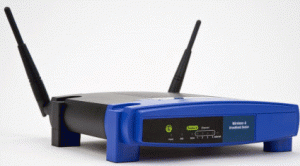 I decided to evaluate DD-WRT, the widely used third party firmware which supports many router devices, unfortunately it didn’t support my device. Before trying this, please make sure your devices is supported from the DD-WRT website. I decided to get a compatible device (WRH54G) and installed the DD-WRT firmware on it. The firmware installation went without any flaws. After installation, I went to the DD-WRT router admin page and connected the device as a router bridge to my existing wireless connection. That’s it , I now have WIFI coverage in my entire home and as and when ever required I can move my second wireless device (WRH54G) an get more coverage , since the two routers now connect wirelessly. The DD-WRT firmware also offered me a host of functionality, like QOS and tracking which was not provided my default router firmware.
Hope this would give you some insights on how to connect two routers wirelessly and one more viable option to extend WI-FI coverage.